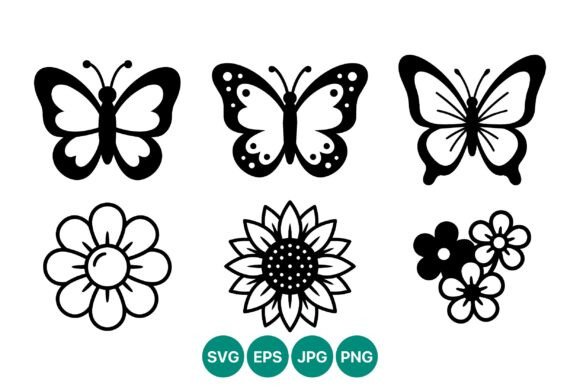
Black White Butterfly Flower Icons
In the world of digital design, clarity is often the most underrated asset. Whether you are building a brand identity, designing a website interface, or creating print materials for a small business, the ability to communicate complex ideas through simple visuals is a superpower. This is where the Black White Butterfly Flower Icons set becomes an invaluable resource. It is not just a collection of clip art; it is a versatile toolkit designed for creators who value precision, scalability, and timeless aesthetic appeal.
This specific vector set features six distinct icons: three butterflies with unique wing patterns and three flowers with varied petal shapes, all rendered in a clean line art style. The high-contrast black and white palette ensures that these graphics remain legible and impactful regardless of the background or medium. For designers, marketers, and hobbyists alike, understanding how to leverage these assets can elevate projects from amateur to professional with minimal effort.
The Power of Minimalist Line Art
Line art has endured as a dominant design trend because it strips away the noise. By removing color gradients, shadows, and excessive detail, line art forces the viewer to focus on form and structure. The Black White Butterfly Flower Icons exemplify this principle. Each butterfly and flower is defined by crisp, continuous lines that suggest movement and organic growth without cluttering the visual field.
The utility of this approach lies in its adaptability. A colorful, detailed illustration might clash with a corporate color scheme or become illegible when shrunk down for a mobile favicon. In contrast, these monochrome vectors maintain their integrity at any size. Because the artwork is provided in 100% vector formats like SVG and EPS, you can scale a tiny icon for a business card up to a massive banner for a trade show without losing a single pixel of sharpness. This scalability is crucial for modern responsive design, where assets must look perfect on everything from smartwatches to 4K monitors.
Creative Applications for Designers and Marketers
For graphic designers and marketing professionals, this icon set offers a foundation for diverse projects. The combination of butterflies and flowers naturally evokes themes of transformation, nature, growth, and elegance. Here are several practical ways to integrate these icons into your workflow:
- Brand Identity and Logos: Use the butterfly icons to symbolize transformation or rebirth for life coaches, wellness brands, or educational platforms. The flower icons can represent blooming potential, making them ideal for gardening services, florists, or beauty products. Because they are black and white, they serve as perfect base logos that can be colored later to match specific brand guidelines.
- Web and App Interface Design: These icons are lightweight and load quickly, which is essential for user experience. Use them as navigation elements, section dividers, or bullet points in blog posts. The distinct wing patterns allow you to differentiate between categories while maintaining a cohesive visual language.
- Packaging and Print Materials: The high-contrast nature of these vectors makes them excellent for stamping, embossing, or screen printing. Imagine a minimalist skincare label featuring one of the flower icons in gold foil, or a wedding invitation suite using the butterfly motifs as subtle watermarks.
When using these icons for commercial projects, consistency is key. Stick to the line weight provided in the original files to ensure harmony across your designs. If you need to adjust the thickness, do so uniformly across all six icons to prevent visual dissonance.
Tailoring Content for Educators and Publishers
Educators and publishers often struggle to find resources that are both engaging and copyright-safe. The Black White Butterfly Flower Icons provide a solution for creating visually appealing educational materials. In biology lessons, these simplified representations can help students identify basic anatomical structures of insects and plants without the distraction of realistic textures.
For bloggers and content creators, these icons can break up long walls of text, making articles more scannable and engaging. You might use a butterfly icon to highlight a "transformation tip" or a flower icon to mark a "growth milestone" in a personal development post. The neutral black and white style ensures that these graphics complement your photography and typography rather than competing with them.
Furthermore, because the download includes PNG and JPG files alongside the vector formats, users without advanced design software can still utilize these assets. Teachers can drag and drop the PNGs directly into PowerPoint slides or Word documents, ensuring high-quality prints for classroom handouts.
Technical Advantages of Vector Formats
Understanding the file types included in the ZIP folder—SVG, PNG, JPG, and EPS—is essential for maximizing the value of this set. Each format serves a specific purpose in the digital ecosystem.
- SVG (Scalable Vector Graphics): This is the gold standard for web design. SVGs are code-based, meaning they are incredibly small in file size and can be manipulated with CSS. You can change the color of the icons on hover or animate their paths using JavaScript, adding interactivity to your website.
- EPS (Encapsulated PostScript): Ideal for professional printing and editing in software like Adobe Illustrator. If you need to modify the anchor points or combine these icons with other vector elements, EPS is your go-to format.
- PNG (Portable Network Graphics): Best for digital use where transparency is required. Use PNGs for social media graphics, email newsletters, or presentations where you need the icon to sit cleanly over a colored background.
- JPG (Joint Photographic Experts Group): Suitable for quick previews or situations where file compatibility is a concern, though it lacks transparency. It is less ideal for design work but useful for immediate viewing.
By leveraging the right format for the right platform, you ensure that your Black White Butterfly Flower Icons always appear crisp and professional. This technical flexibility saves time and reduces the frustration of dealing with pixelated images or incompatible files.
Maintaining Originality and Visual Balance
While stock assets provide a great starting point, adding your own creative touch ensures your work stands out. Consider combining the butterfly and flower icons to create custom compositions. For instance, you might arrange the three flowers in a triangular layout with a butterfly hovering above, creating a balanced emblem for a header image.
Experiment with negative space. Since the icons are black lines on a white background, try reversing them—white lines on a dark background—for a dramatic, modern effect. This inversion can add sophistication to dark-mode websites or evening-event invitations. Additionally, you can crop specific parts of the icons, such as a single wing pattern or a cluster of petals, to create abstract textures or backgrounds.
Remember that simplicity does not mean boring. The distinct petal shapes and wing patterns in this set offer enough variation to keep designs interesting. Use the different butterfly styles to represent stages of a process, or the different flowers to categorize types of services. This semantic use of imagery helps users navigate your content intuitively.
Ultimately, the Black White Butterfly Flower Icons are more than just decorative elements. They are functional tools that support clear communication, enhance visual hierarchy, and add a touch of organic elegance to digital and print projects. By understanding their technical capabilities and exploring their creative potential, you can transform these simple line arts into powerful components of your design strategy. Whether you are a seasoned designer or a curious hobbyist, these vectors offer the flexibility and quality needed to bring your ideas to life with confidence and style.